Claude Desktop and Claude.ai connect to Checkr Money MCP through Connectors. One-time setup - OAuth handles the sign-in.
Checkr Money MCP is only available on the Pro plan. Upgrade to Pro to get started.

Server URL


Steps

  1. Open Claude Desktop or Claude.ai and go to Settings > Connectors.
  2. Click Add custom connector at the bottom of the list.
  3. Set Name to Checkr Money and paste the server URL above into Remote MCP server URL.
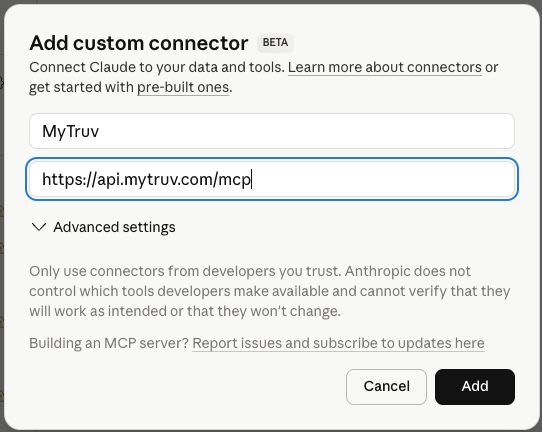
Claude's Add custom connector dialog with Name set to Checkr Money and the MCP server URL filled in
  1. Click Add. A browser window opens so you can sign in with your Checkr Money account and authorize access.
  2. Once authorized, start a new chat and ask Claude to check your balances or pull recent transactions.

Next steps

Try these prompts

Ready-to-use prompts for your first chats with Checkr Money.

Available tools

What Claude can query on your behalf.